How AUIA works: Web accessibility in real time
You don't need to be a coding expert to have an inclusive website. AUIA integrates into your WordPress to analyze, prioritize, and guide you in improving your page, ensuring it complies with WCAG 2.1 regulations.
Three steps to a barrier-free website
Automatic and intelligent scanning
Once installed and with an active user, select the pages you want to analyze and start the audit with a single click.
AUIA automatically scans content and detects potential accessibility issues according to WCAG standards, without the need for technical knowledge.

Diagnosis with AI
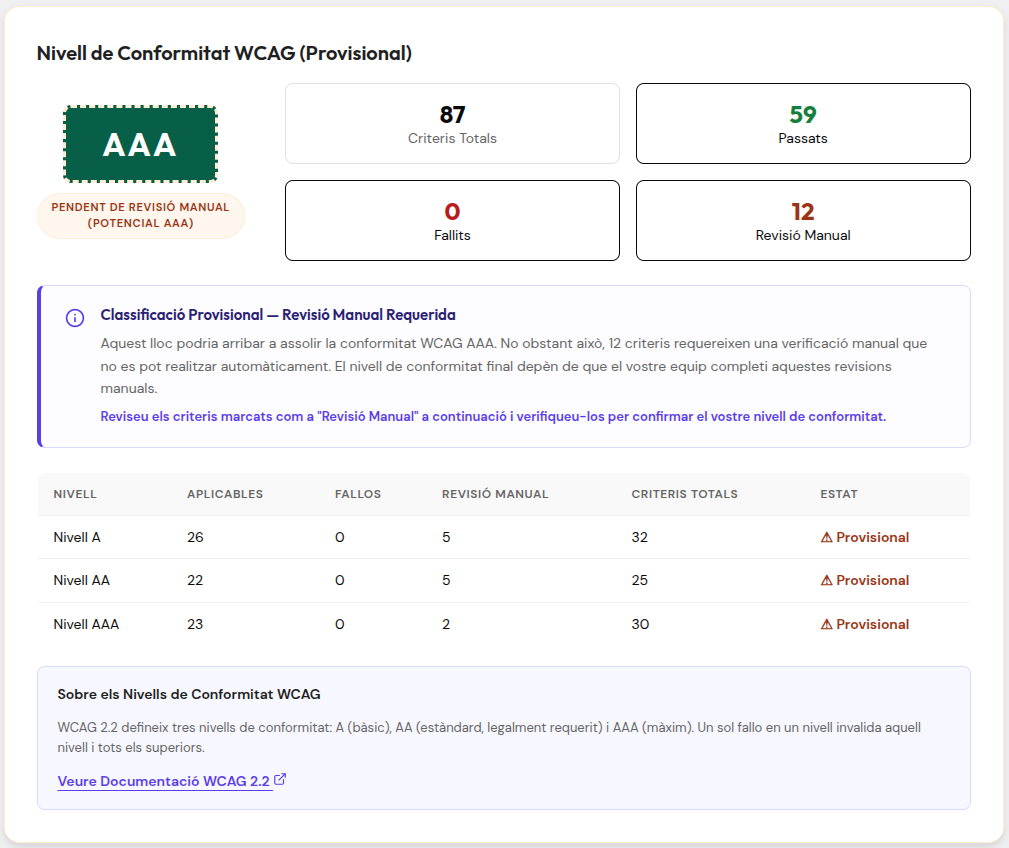
AUIA analyzes the audit results and shows you a clear view of your website's accessibility status.
Artificial intelligence classifies criteria, identifies potential risks, and highlights points requiring manual review, helping you prioritize the most impactful actions.
Continuous improvement
Access the details of each criterion, review issues, and follow recommendations to improve your website's accessibility.
Rerun analyses whenever you want to monitor progress and continuously move toward a more inclusive digital experience.


Make your website accessible
before anyone asks you to
Install AUIA in minutes and ensure your website is accessible to everyone. AUIA automatically analyzes and identifies accessibility errors, helping companies and institutions offer a more inclusive and efficient digital experience.